
Every feature, with proof
Not a list of claims. Every section below shows the part of FET Viewer that does the job, captured from the running product.
A live grid that understands your timetable
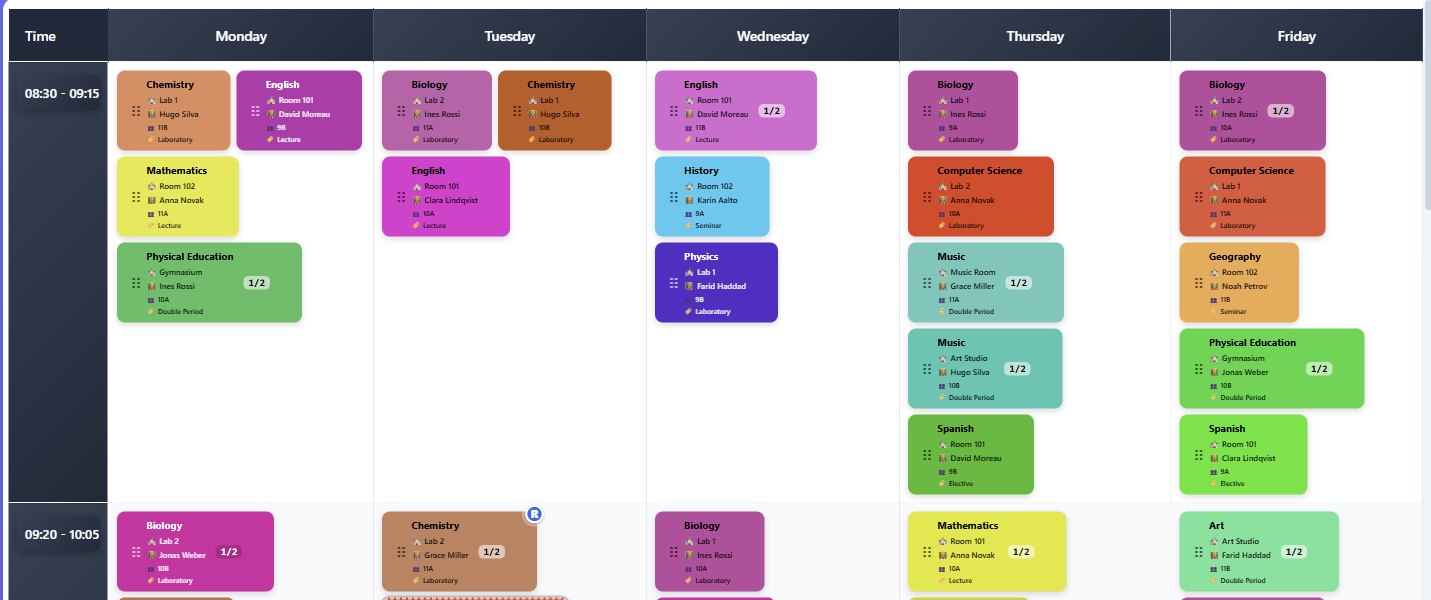
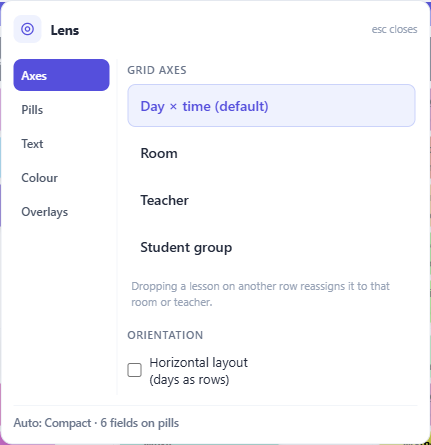
Your whole schedule on one screen, read through whichever lens the question needs — by teacher, by student group, or by room.
- Views and lenses Teachers, students and rooms, with semantic zoom
- Drag and drop Conflicts are detected as you move a lesson
- Command search Jump to anything without leaving the keyboard
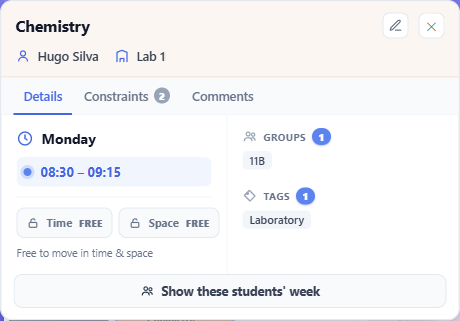
- Lesson popover Click any lesson for its full story
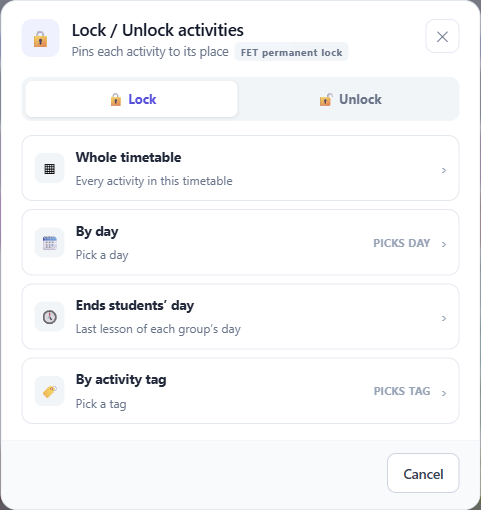
- Per-axis locking Pin a lesson in time, in space, or both
- Dark mode A real dark theme, not an inverted one
-
Switching lens -
One lesson, in full -
Locking per axis
“Where can this lesson go?” — answered with proof
Pick a lesson that has no home yet. The planner shows every slot it can legally take, names the exact thing blocking it when there are none, and proposes swaps that are safe to accept.
- The verdict first The answer before the supporting detail
- Swap chains Rearrangements it can show are sound
- The bottleneck, named Which room or teacher is the constraint — not just “no slots”
- One-step undo A whole chain rolls back as a single action
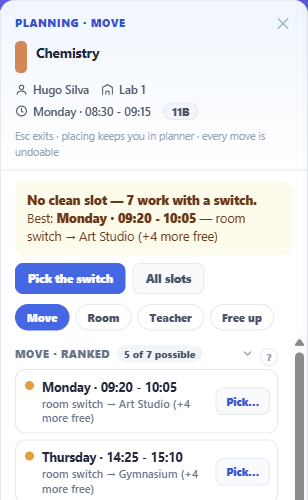
Bring your timetable in, and get it back out
Two ways in from a file. Upload a FET project and it round-trips faithfully, or — if your timetable is already built elsewhere — bring it in as plain CSV files. FET Viewer is a data layer, not a second solver.
- Upload a FET project Large files are read in resumable batches
- Or start from CSV An already-generated timetable comes in as spreadsheets
- Download it back Checked before the file is produced
- Unknown constraints survive Types the editor does not touch still round-trip intact
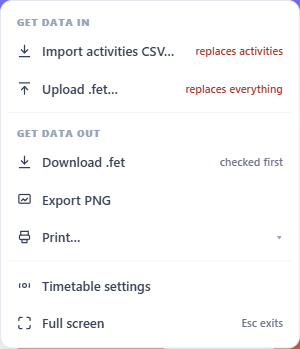
Start next term from last term’s
The third way in, and the only one that involves no file at all: take content straight from another timetable you own. Reusing your standing rules is included on every plan; bringing the lessons across is a Basic feature.
- Reuse your standing rules Staff availability and room policy — on every plan, free included
- Or bring everything Lessons and the constraints that place them — Basic and above
- Counted, not estimated Every figure is measured from the source you picked
- A restore point first A full .fet downloads before anything is written
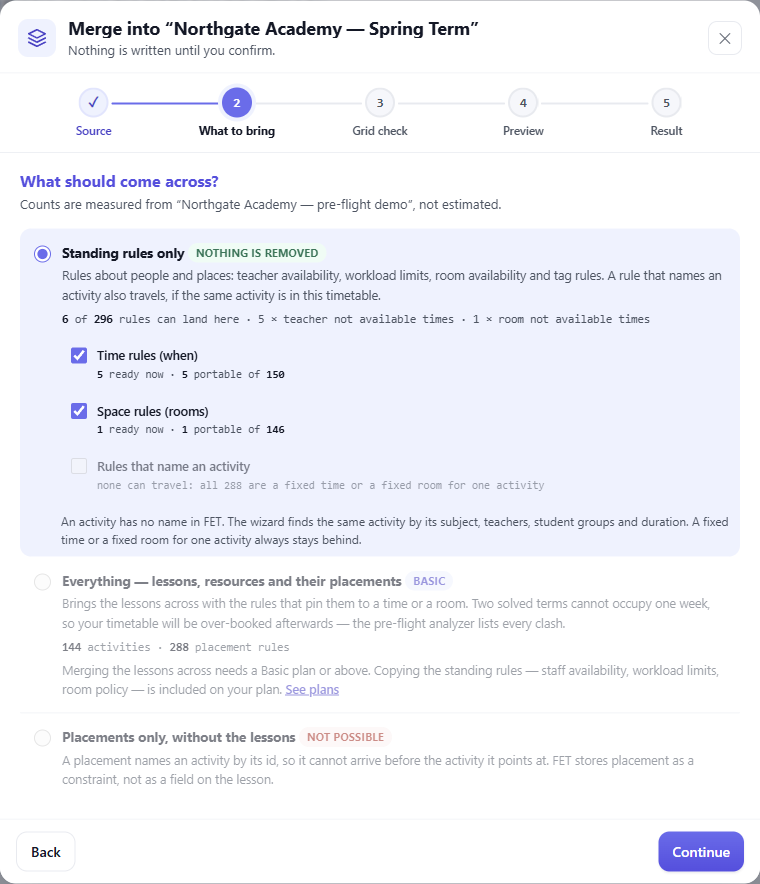
Edit everything FET knows about
Teachers, student groups, subjects, rooms and activities — plus the constraint system itself, in plain forms rather than nested dialogs.
- Entity editors Searchable, and friendly to bulk edits
- Split activities Shared fields propagate across components
- Constraints, FET-faithful Time and space constraints as FET models them
- Timetable settings Days, slots, time zone and modes
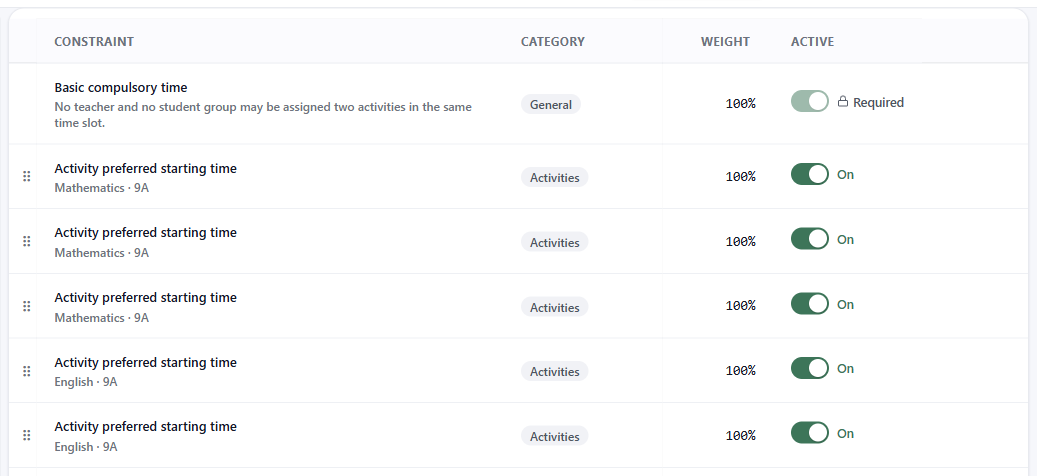
Find the impossible before FET does
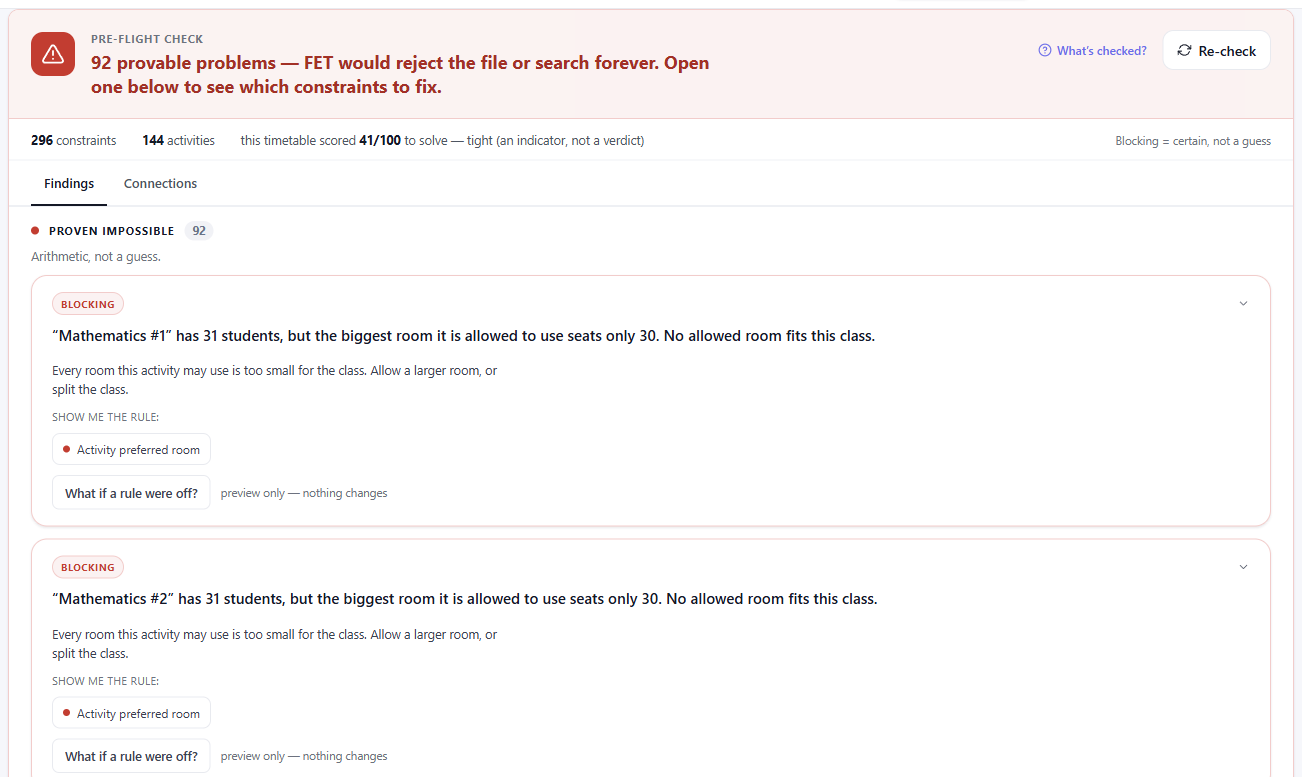
An analyzer that proves a timetable cannot be solved before you spend an evening waiting on the solver.
- An error is a proof Every red finding is demonstrably real, not a guess
- What a change would cost See the tension an edit introduces
- Guided fixes Repairs are proposed and confirmed, never silent
- No account to try Check a FET file before you decide about an account
Answers in plain words, on your terms
Ask why a timetable will not solve, or which rule to loosen. You choose where the model runs, so you decide what leaves your machine.
- Plain questions Which teacher is overloaded? Where can this activity go?
- You choose the model In your browser, on your own machine, or with your own key. The key needs a free account. The first two do not.
- It names a real rule It checks every rule it suggests against the FET list

Everyone sees exactly what they need
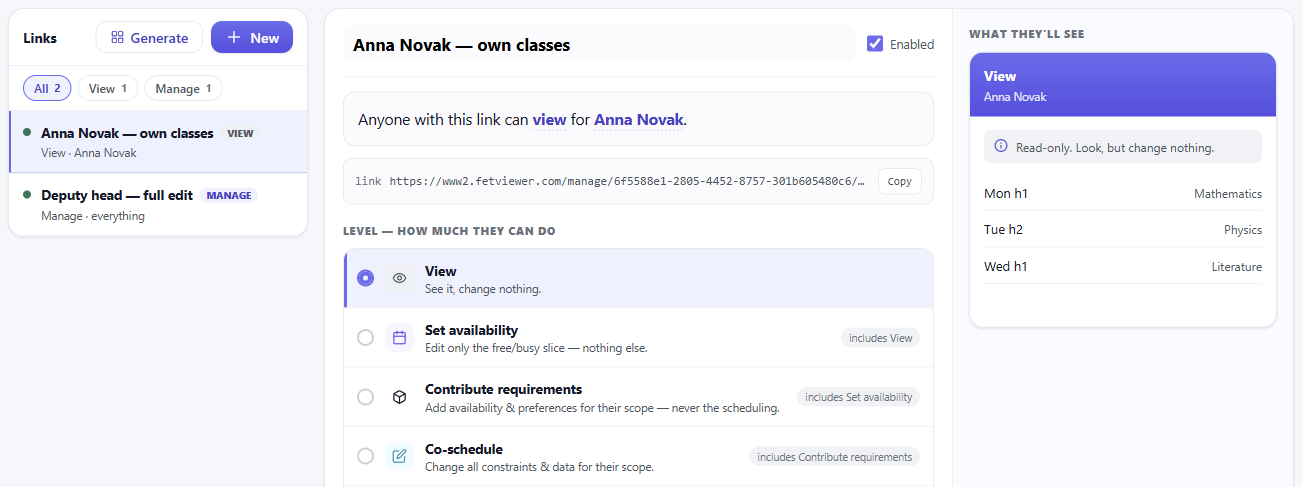
Share links carry their own permission level, so a link for parents and a link for your deputy are genuinely different things.
- Scoped links Narrow a link to one teacher, group or room
- Public or private An open link, or one you hand out deliberately
- Revoke and rotate Issue a new address and retire the old one at once
Timetables where people actually look
Put a live schedule on your website, run it on a hallway screen, or print a code that always opens the current version — and push a notice to all of them at once when something changes.
- Website embeds Drop into a page and it stays current
- Signage screens A full-screen display built for a corridor
- Announcements Post once — it reaches the embed, the screens and the share links
- Urgent notices stand out An exam or a closure leads the board instead of queueing behind it
- Scannable codes Point a phone at it and get the live timetable
See it in action Both of these are the running product on demo data, not pictures of it.
Cover, published — not scribbled
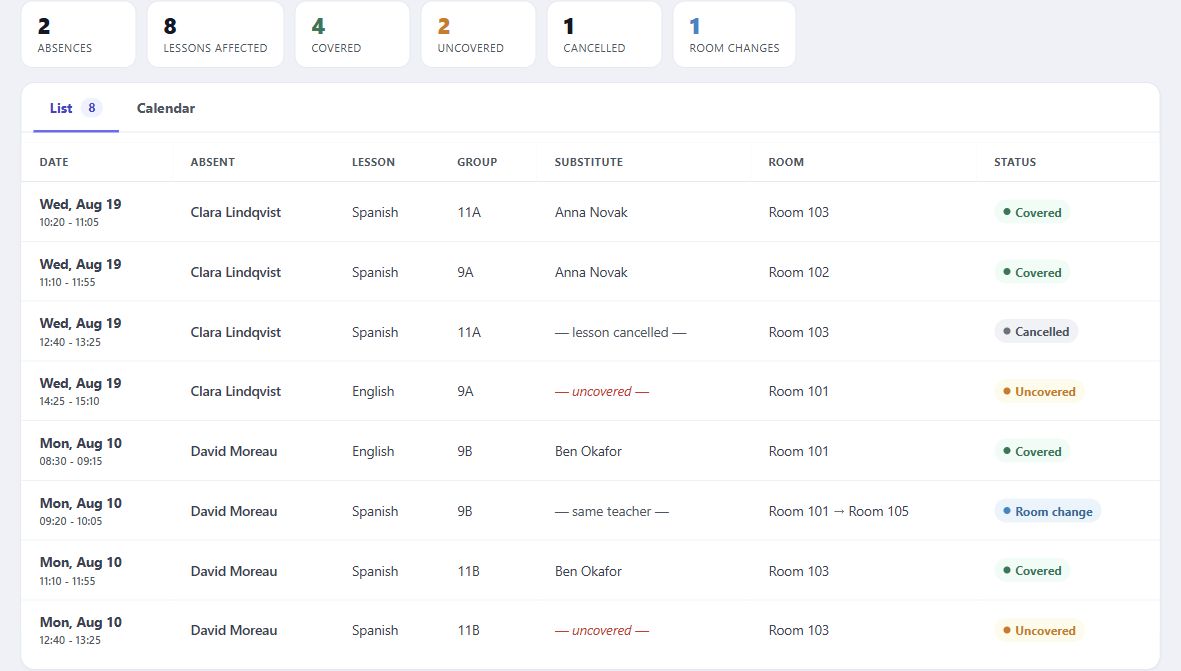
When a teacher is out, publish who is covering. It reaches the people affected where they already look, instead of on a note by the staffroom door.
- Upcoming cover One source behind the strip, the panel and the menu
- It reaches shared links Cover shows up on the links teachers already hold
From screen to paper, properly
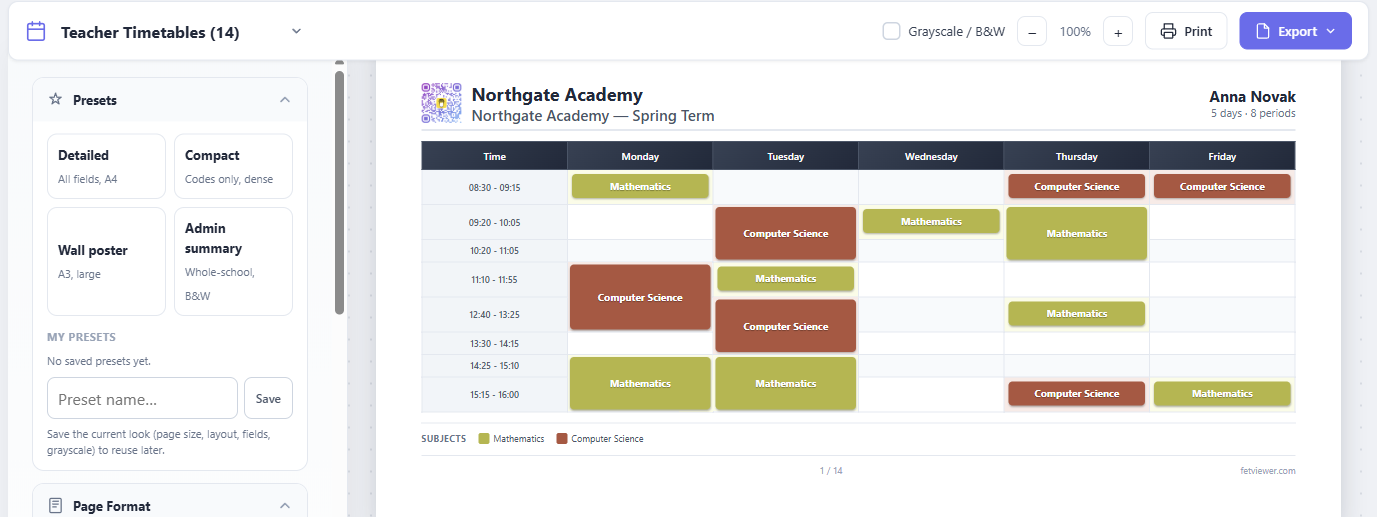
A print designer that treats paper as its own medium — and every sheet in the set can be tuned on its own, because the head of department’s copy and the one on the staffroom wall are not the same document. Plus a term calendar with real dates that any calendar app can subscribe to.
- Print designer Per teacher, per class, or a master sheet
- Tune one sheet on its own Click a sheet: its own text size, colour and orientation
- Choose what each sheet shows Teacher, room, groups or tags — per sheet, not per document
- Print just that one Reprint a single teacher’s sheet without the whole set
- Term calendar Real dates, holidays and the day’s cover
- Calendar subscription Follow the timetable from a phone or laptop
-
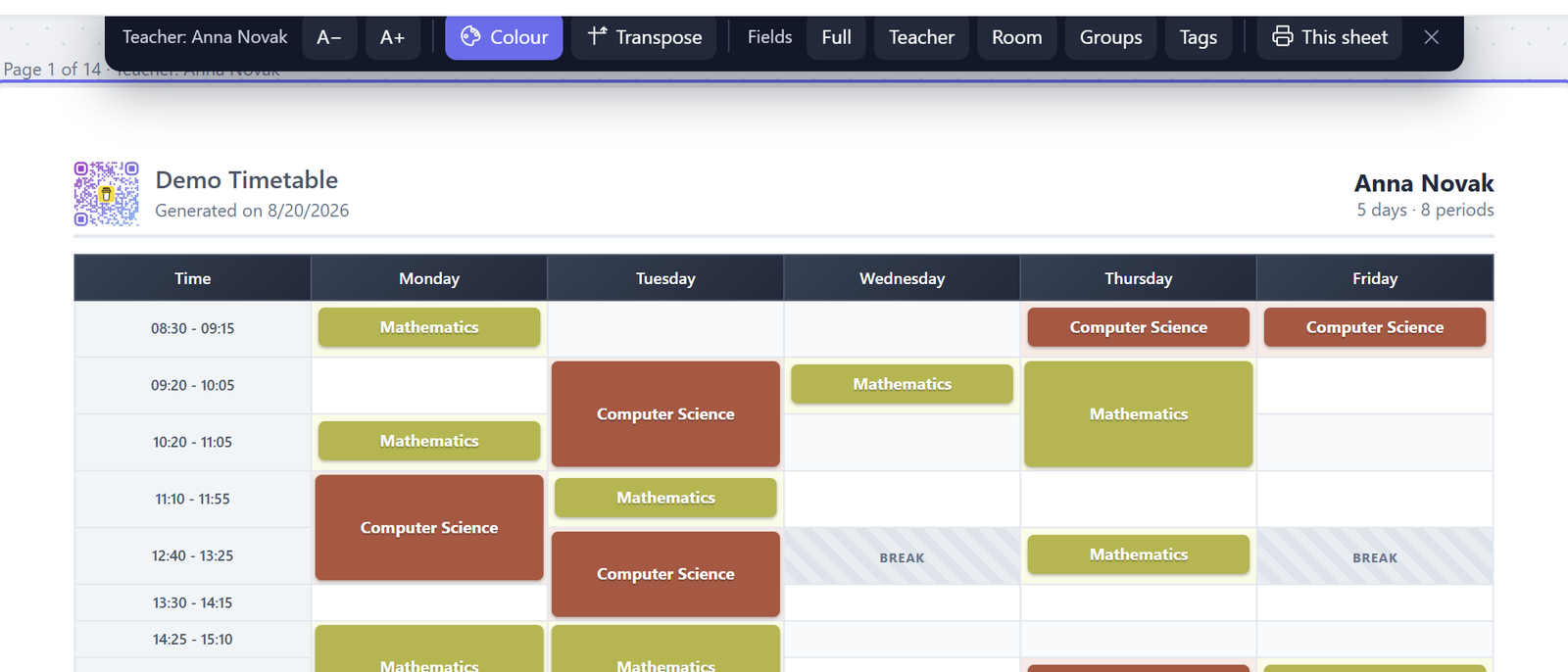
Tune one sheet without touching the rest
Understand your timetable, not just view it
Workload spread, room use, subject hours and where the gaps fall — the questions a head of school asks once the grid is full. Every panel sorts, every bar opens, and the whole thing exports.
- Teacher workload Load against target, with over and under called out
- Room use Find the room standing empty all Tuesday
- Occupancy heatmap Day by period — see where the week bunches up
- Student day length The span each group sits through, and the idle gaps in it
- Hours by subject Where the teaching time actually goes
- Sort it either way Ascending surfaces the bottom — the room nobody books
- Hover for the detail A teacher’s own week, or what fills one heatmap cell
- Export to CSV The numbers behind the view you are looking at
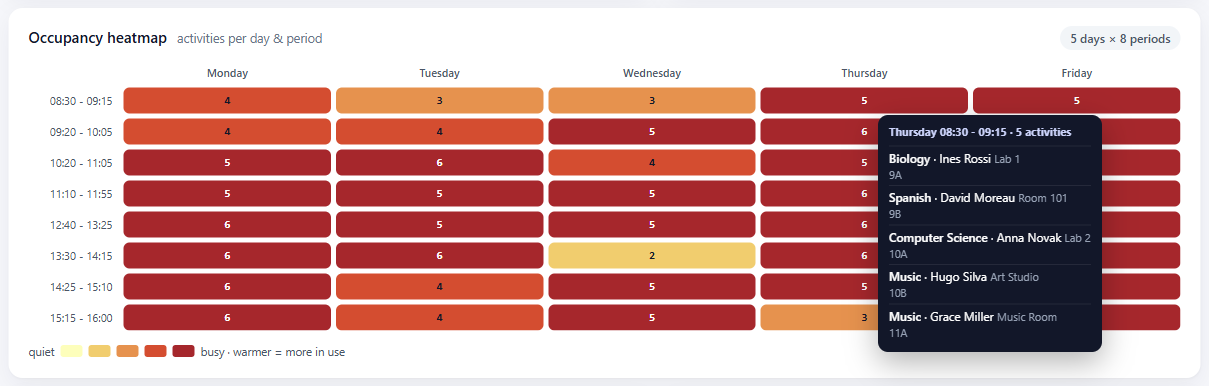
-
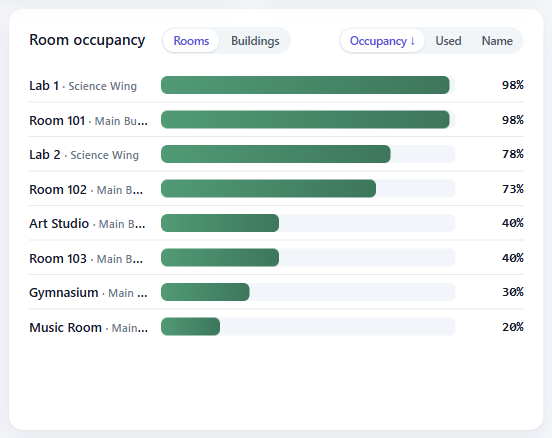
Which rooms are idle -
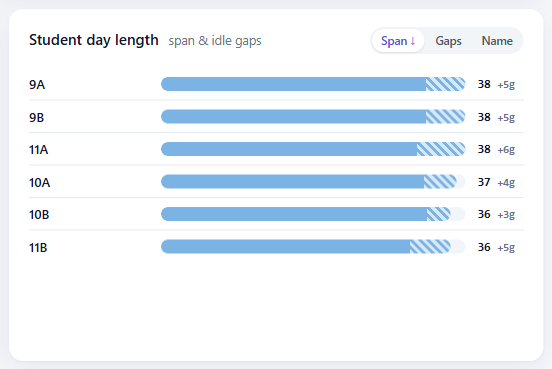
How long a day really is
See it with your own timetable
Bring in a FET project, or plain CSV files if your timetable is already built, and try everything above. Starting costs nothing.
Start for free