
Collect teachers' free times with one link each
Send each teacher a private link. They tap the slots they cannot teach. The answer is saved in your timetable as a FET constraint.
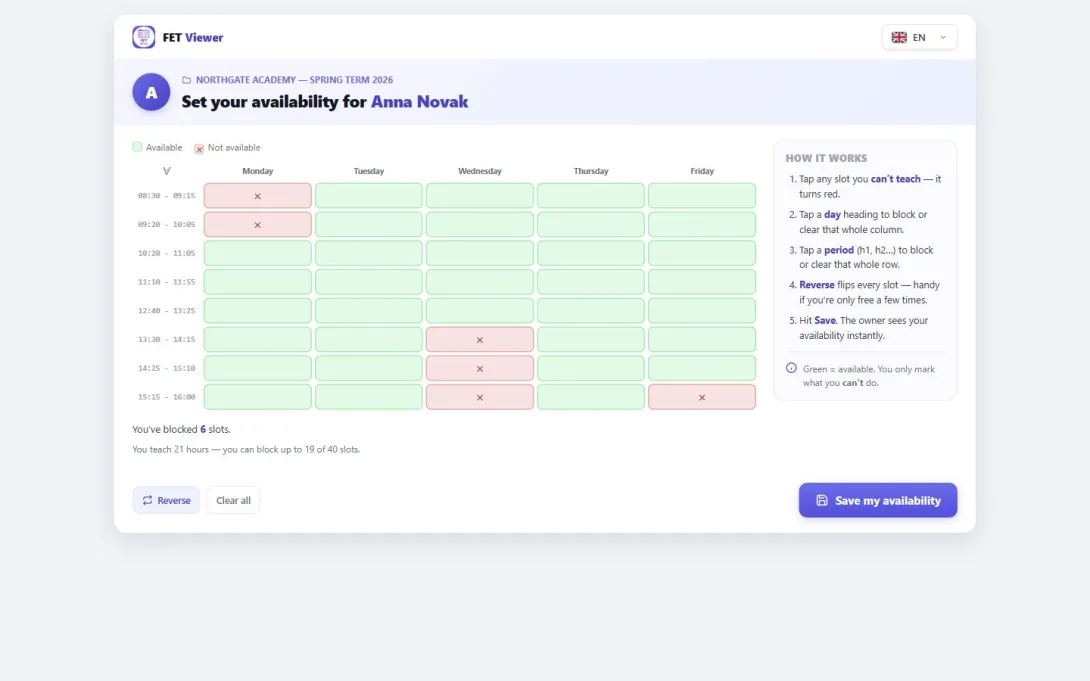
Every year it is the same job. Before you can make the timetable, you need to know when each teacher cannot teach.
So you send an email, or a form, or a paper. The answers come back in many shapes: "Monday mornings", "not after 2 on Wednesday", a photo of a printed grid. Then you type each answer into FET by hand, one teacher at a time, and you hope that you did not miss one.
FET Viewer turns this into one link per teacher.
How it works for you
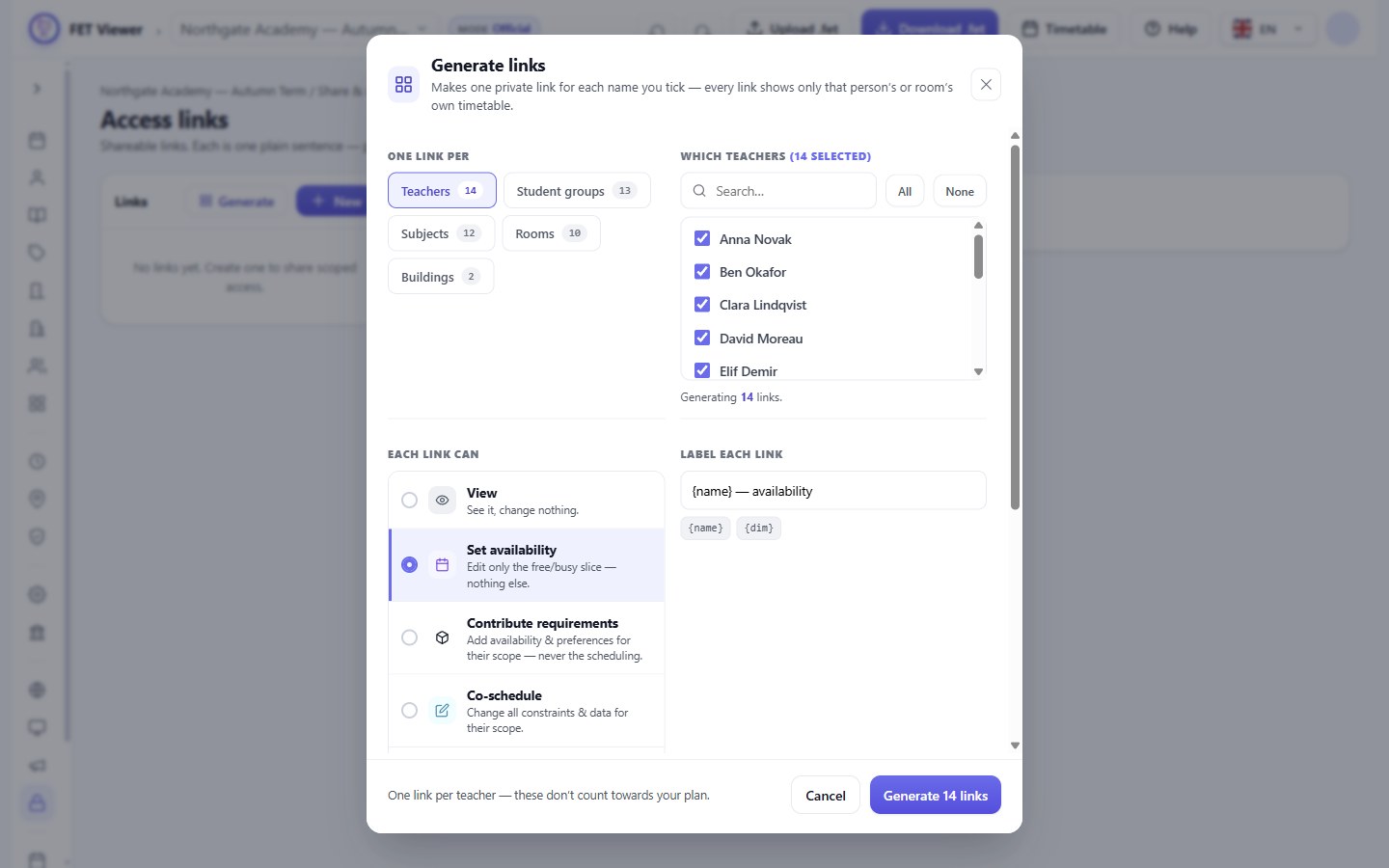
1. Make a link for every teacher. Open Data → Access links and choose Generate. Choose Teachers and the level Set availability. Every teacher is ticked. One click makes one private link for each of them.
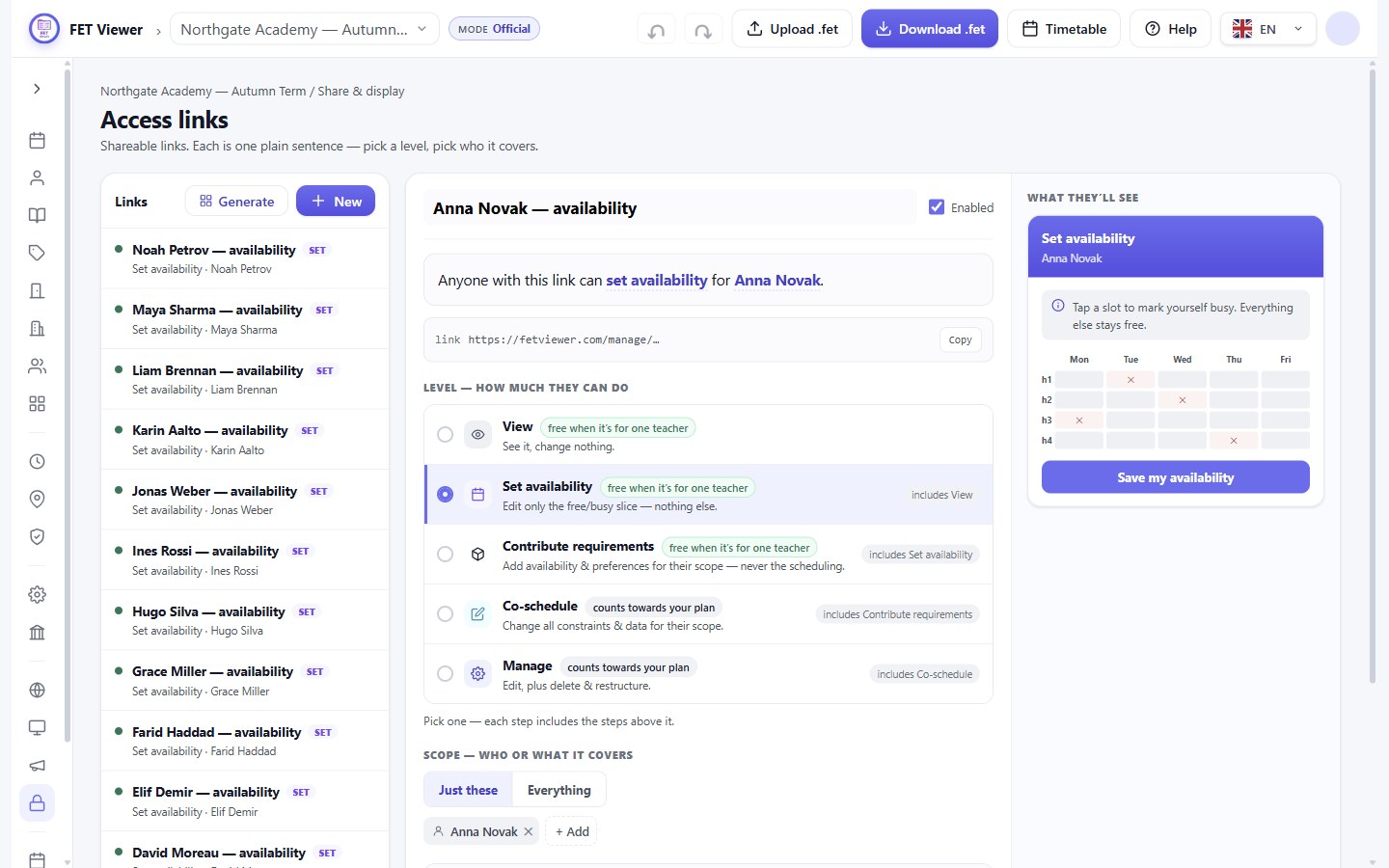
2. Send each teacher their link. Click a link to see what it does: "Anyone with this link can set availability for Anna Novak." Click Copy and send it by email or by message. Each link shows only that one teacher.
How it works for the teacher
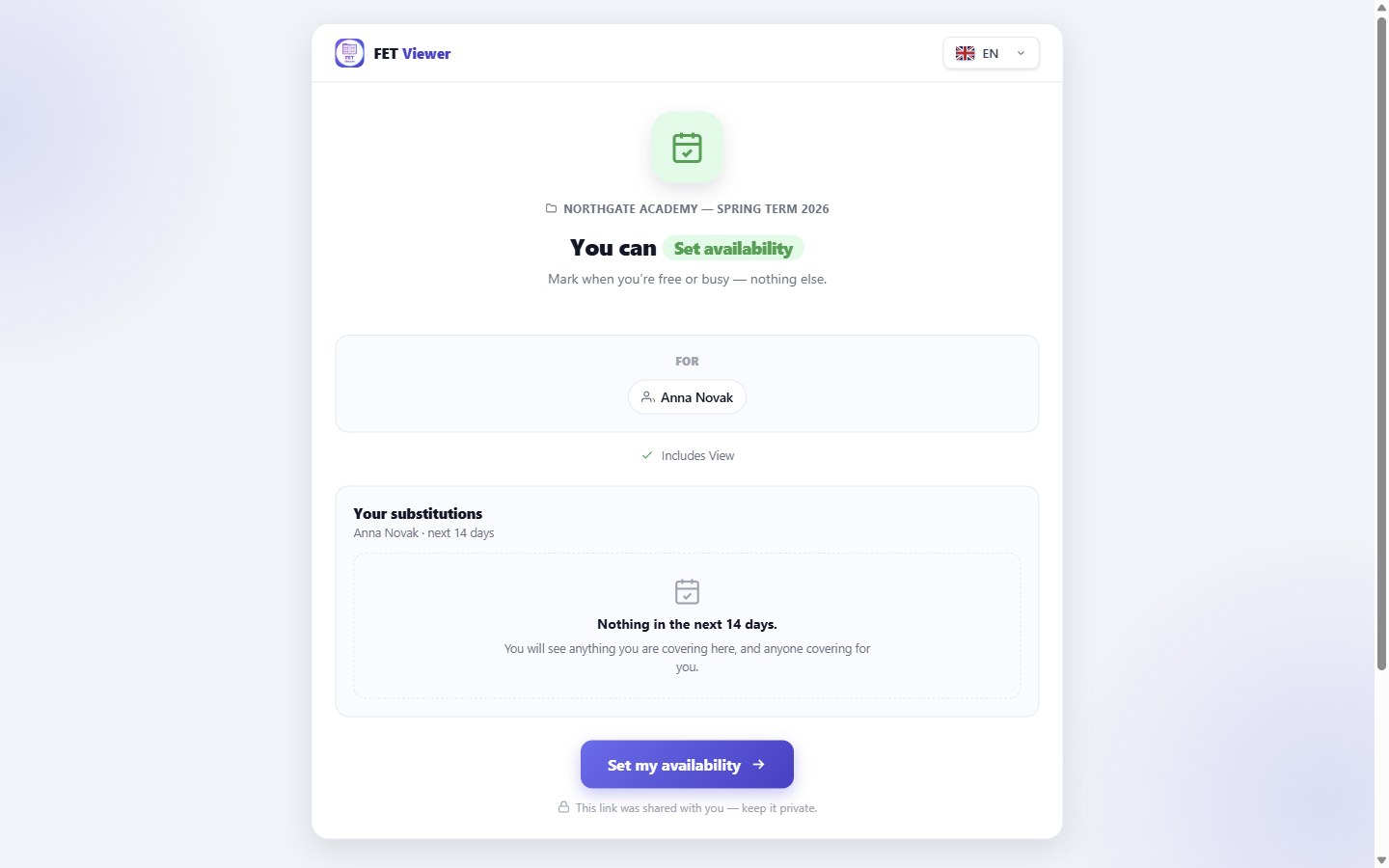
3. The teacher opens the link. No account and no password are needed. The page says what the link allows: set availability, and nothing else.
4. The teacher taps the slots they cannot teach. A tapped slot turns red. A tap on a day heading blocks the whole day. The page also stops a teacher from blocking too much: a teacher with 21 hours of lessons can block at most 19 of the 40 slots.
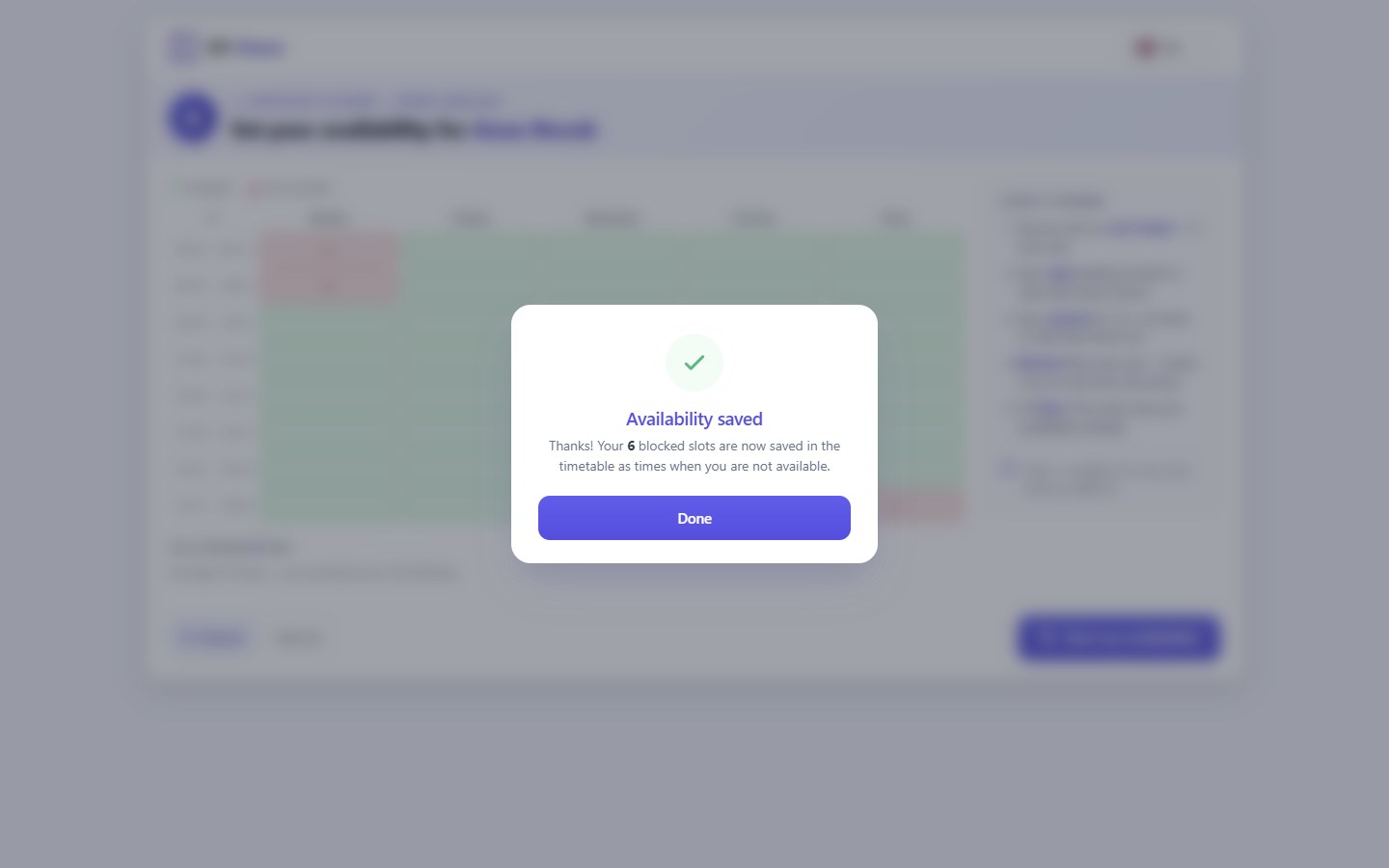
5. The teacher saves. That is all. The teacher sees a short confirmation.
What you get
The answer is saved in your timetable at once, as FET's own constraint Teacher not available times, with a weight of 100%. You see it under Time constraints, with the blocked slots on a small grid.
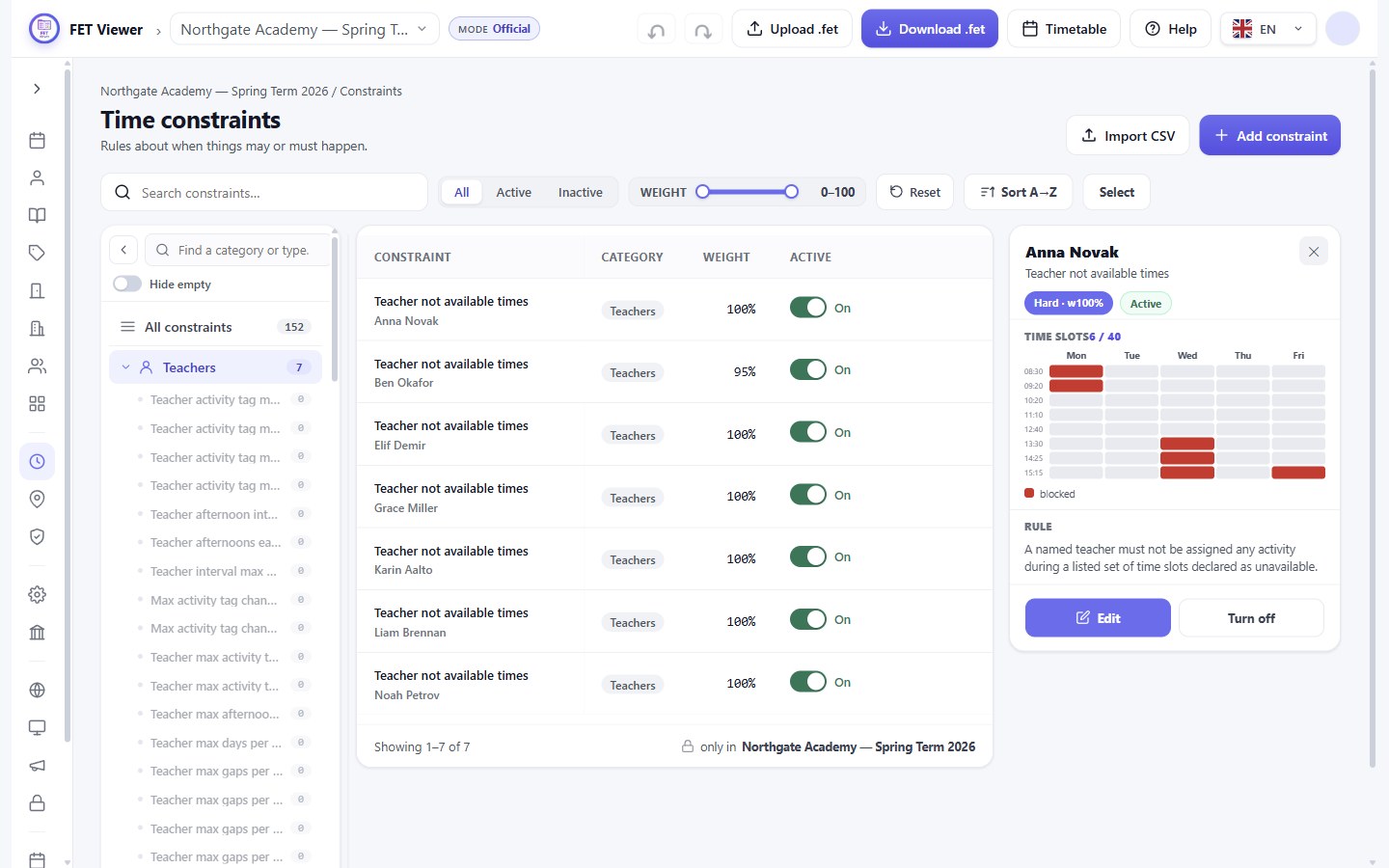
There is no typing and no copy step. When you download the .fet file, the constraint is in it, and FET reads it like any other constraint. If a teacher sends a change later, they open the same link again.
The answer goes straight into the timetable. You do not approve it first. You can still edit it, or turn it off, like any other constraint.
What each plan has
Teacher links are on the paid plans. Basic has 2 private links in total. On Pro and Max, a link for one teacher does not count towards your links, so every teacher can have one.
Read more in The permission ladder and Creating and sending links.