
You moved one lesson and broke three things
Hand-editing a solved timetable is where good timetables quietly go wrong — and the damage is invisible until somebody complains.
The solver gave you a valid timetable. Then reality arrived.
A teacher's Tuesday changed. A room is being redecorated for a fortnight. Two students swapped options and now a set of four has to move. None of this is worth a re-solve — you know exactly what needs to happen, and it is one lesson.
So you move it. And that is the moment the timetable stops being verified.
Why re-solving is the wrong tool
You could go back to FET, change the constraint, and run it again. Sometimes that is right. Usually it is not, for a reason that has nothing to do with software: the solver is entitled to move everything else.
You get back a valid timetable, but not your timetable. The careful arrangement you reached after three conversations with the head of languages is gone, replaced by something equally valid and entirely unfamiliar. Now forty teachers need re-telling, not because their week had to change, but because you moved one lesson.
So people edit by hand. It is the correct instinct. It is also completely unguarded — in a spreadsheet or a printout, nothing tells you what you just broke.
One move, three breakages
Move a lesson to Thursday period 3 and you have quietly asserted four things: the teacher is free then, the room is free then, that student group is free then, and nothing else in the week depended on where it used to be.
Miss one and the timetable is now wrong in a way that will not surface until the day itself, when two classes arrive at the same door.
That is what makes hand-editing risky: not that mistakes are likely, but that they are silent. Nothing goes red in a printout.
So check as you go, not at the end
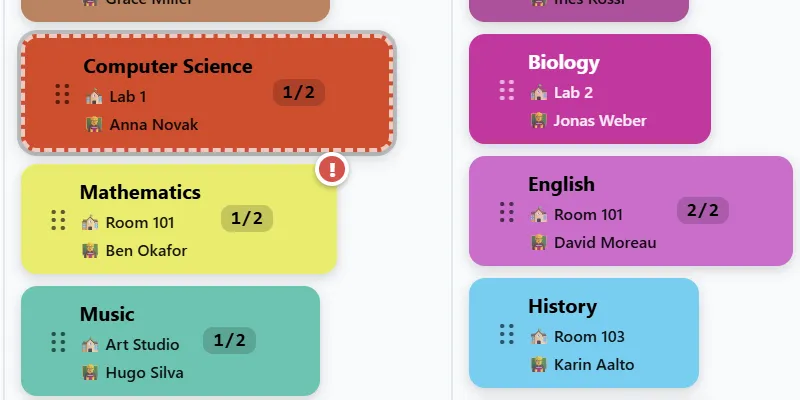
The grid checks while you work. A lesson involved in a clash carries a badge on the pill itself, so the problem is visible where the problem is — not filed in a report you have to remember to open.
When you do want the whole picture, the conflicts report breaks it down the way you would actually investigate it: by rooms, by teachers, by student groups.
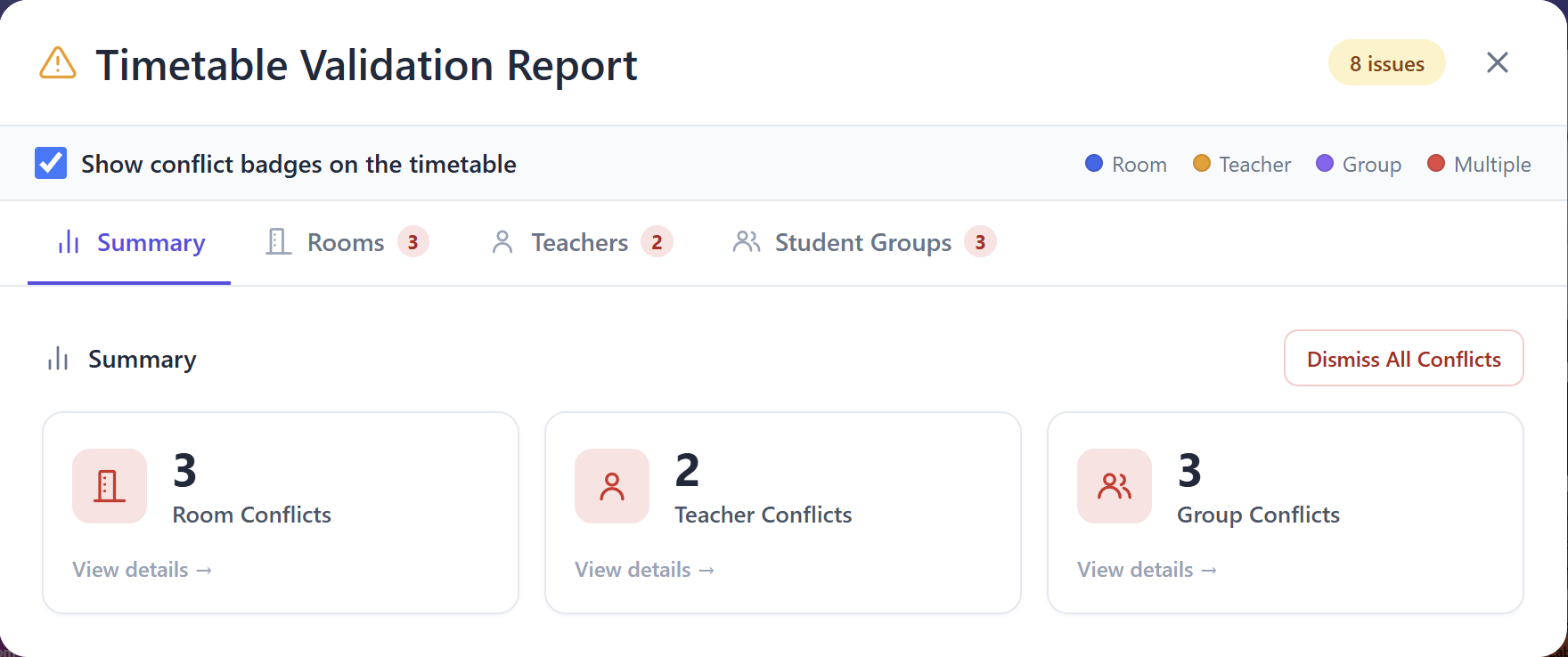
And it distinguishes the kinds, which matters more than it sounds:
will not survive contact with a real school day.
The report is telling you it happened, not that you were wrong.
capacities you recorded, which is a decent reason to fill them in.
- Room conflicts — two lessons, one room, same time. Unambiguous.
- Missing rooms — not strictly a clash, but a lesson with nowhere to happen
- Rooms outside the preferred list — you may have decided that deliberately.
- Rooms too small — capacity below class size. ⚠ Only as reliable as the
That third one is the tell of a tool that has been used in anger. Not every deviation is an error, and something that cries wolf about deliberate decisions gets ignored — including on the day it is right.
When there is nothing to report, it says so plainly instead of showing an empty list.
Lock what must not move
Some things are not negotiable. The shared minibus slot. The visiting instructor's Wednesday. The lesson you have already told two hundred parents about.
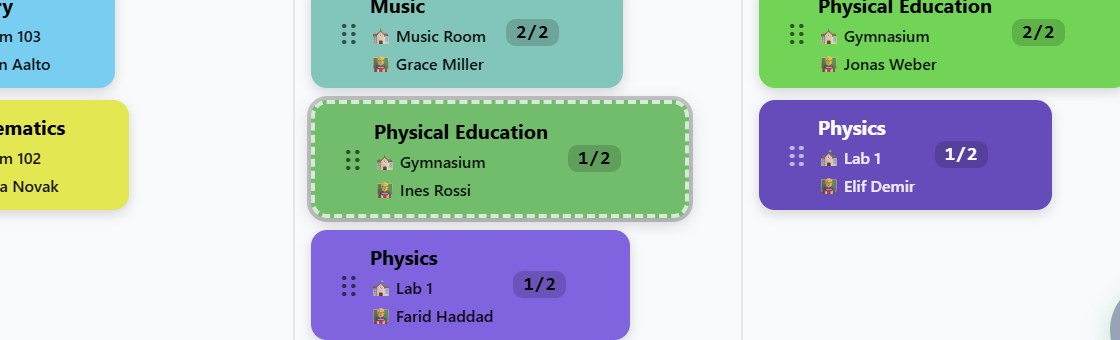
Those can be locked, and then the answer is "no" before the mistake instead of a warning after it. Prevention beats detection when the cost of the mistake is a letter home.
Check before you commit
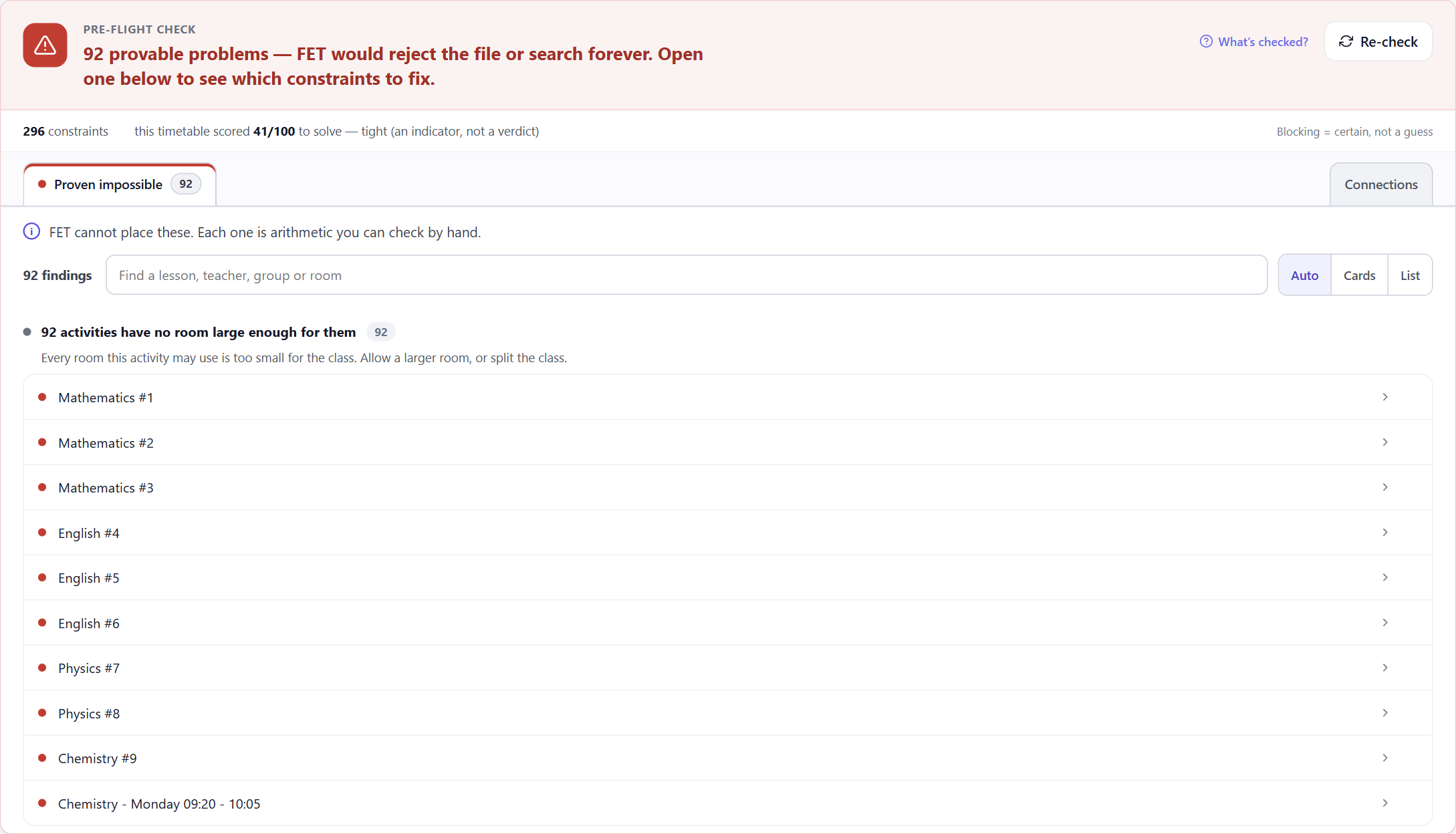
The other half is looking before you leap. A pre-flight check reads the whole timetable and reports what will not work, so you find out on your screen rather than at the far end of a solver run — and long before Tuesday.
Editing is not the risk. Unverified editing is.
The instinct to fix one lesson by hand is right, and it is what a real school week demands. Re-solving to fix a single change costs you the timetable you negotiated.
What was missing was not permission to edit. It was a second pair of eyes while you do it.