
The screen by the staffroom door
A printed timetable is wrong the day something changes. A screen is only right if nobody has to remember to update it.
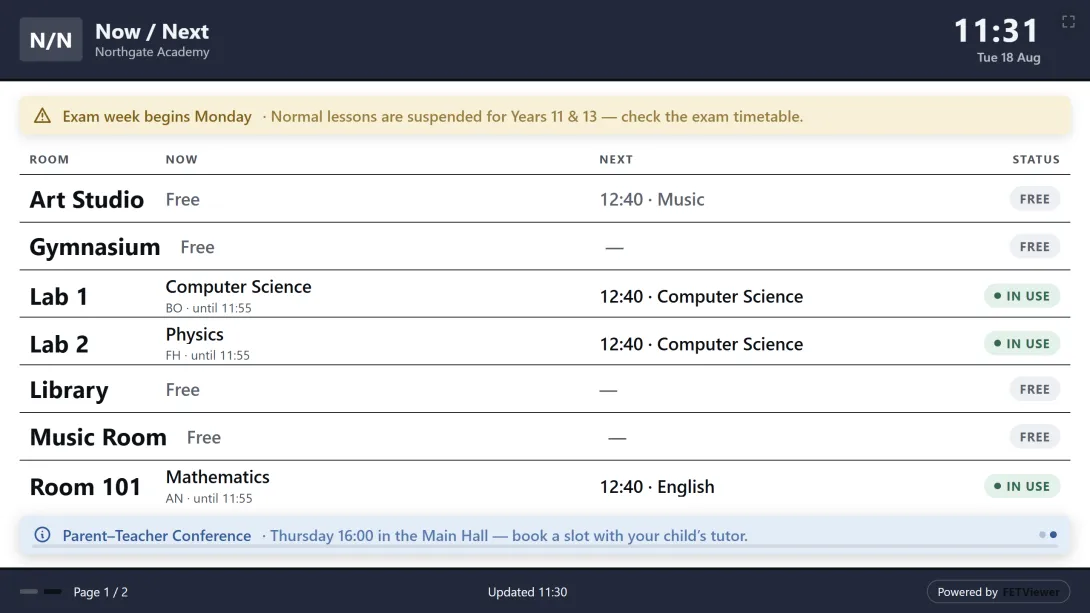
There is a noticeboard in every school with a timetable on it, and a date in the corner that everybody has learned to distrust.
It was accurate once. Then a room changed, and updating the noticeboard was somebody's fourth priority that week. Now it is consulted anyway, because it is the thing on the wall, and occasionally it sends someone to the wrong place.
The instinct is to print it again. The better answer is to stop printing.
A screen is not a monitor showing a webpage
You can put a laptop on a shelf and open the timetable. People do. It works for about a day, until someone needs the laptop, or it sleeps, or a dialog appears over the top, or the login expires and the wall now displays a sign-in form.
A board built for a wall is a different thing: large type, no chrome, and nobody to operate it. Point a browser at its address, put it in full screen, and leave it. There is no interface because there is nobody standing there to use one.
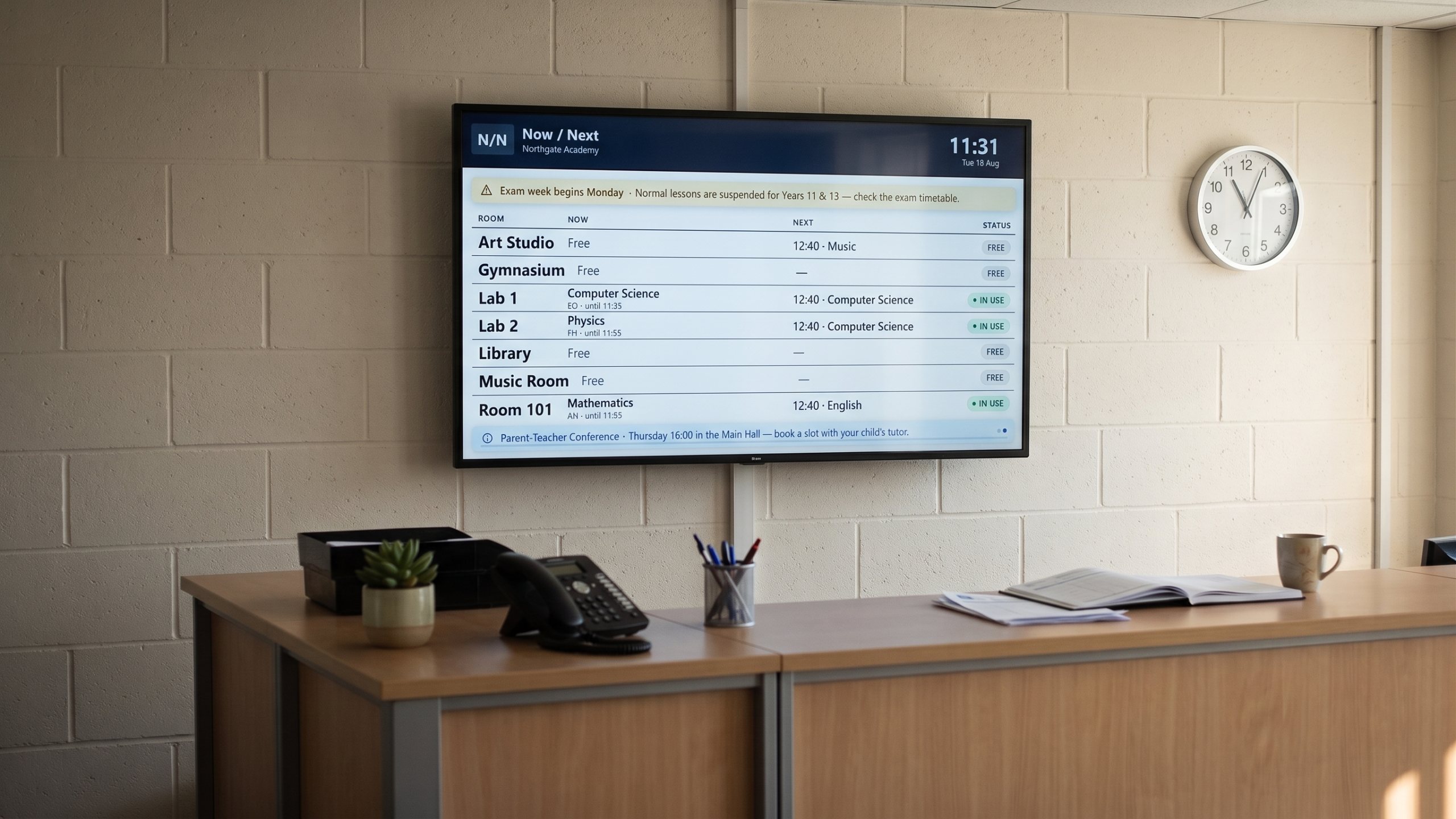
Four boards, because "the timetable" is four questions
What belongs on a wall depends entirely on which wall.
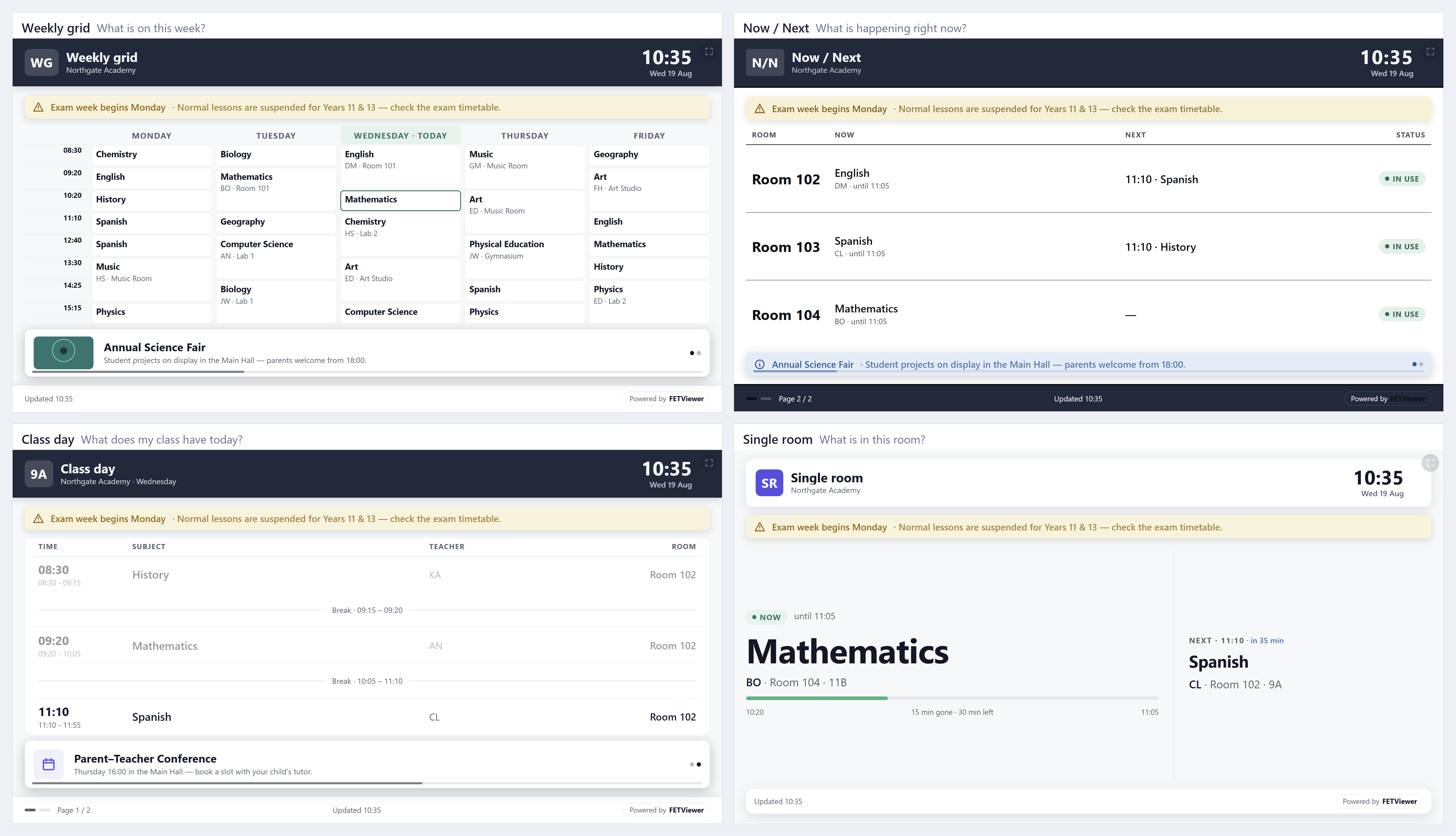
people plan.
people are moving and have five seconds.
- Weekly grid — the whole week. For a staffroom or an entrance hall, where
- Now and next — what is running and what follows. For a corridor, where
- Class day — one class's day. For outside a classroom.
- Single room — what is happening in here. For the door of the room itself.
They are the same timetable answering different questions. The corridor does not need the week; it needs the next forty minutes.
What makes "now" mean anything
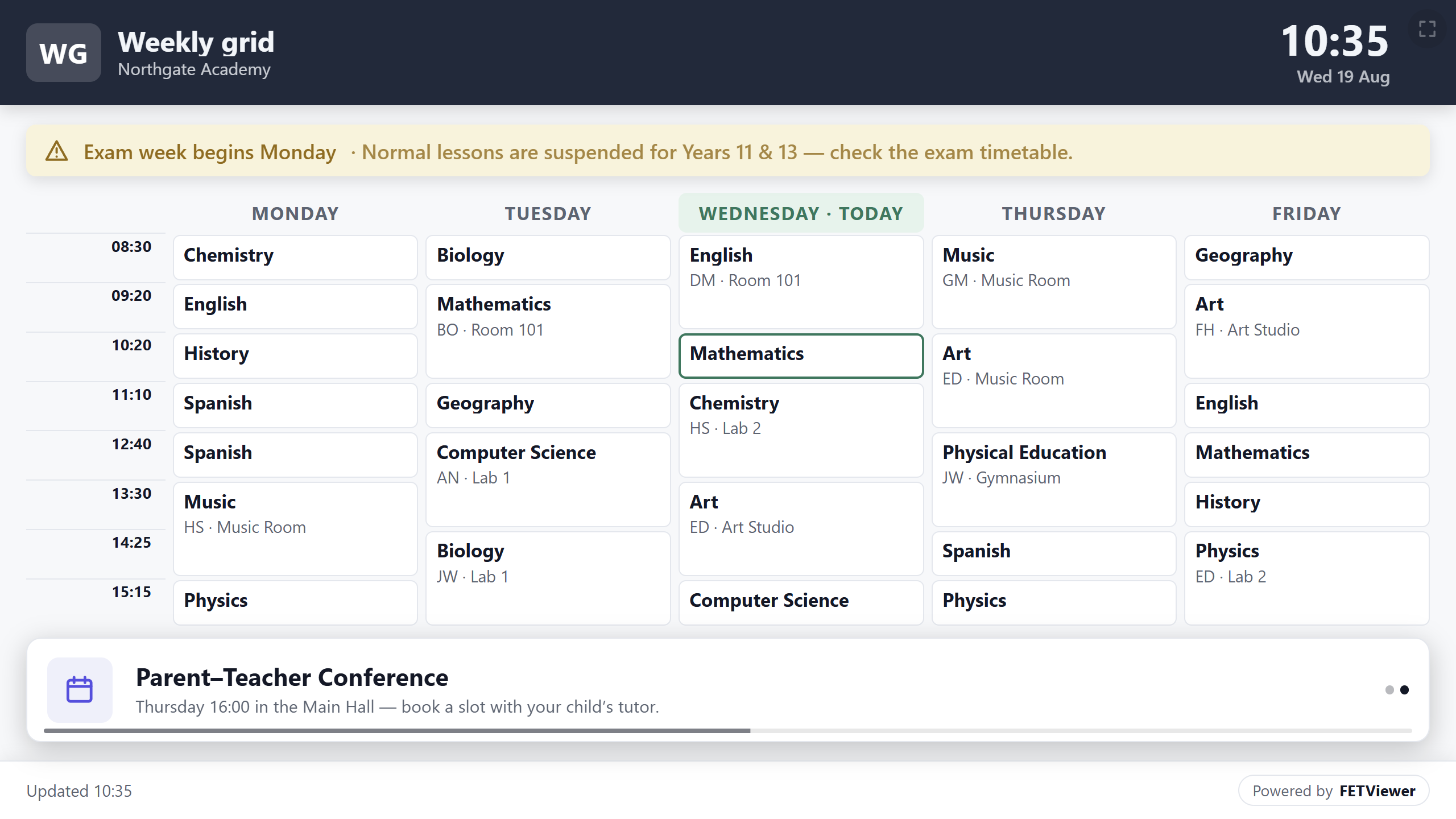
Now and next only works if the board knows when your periods begin and end. Bell times are what turn a grid into a clock — without them a board can show you the day, but it cannot tell you where in the day you are.
That is the one piece of setup worth doing properly, and it is the difference between a board people glance at and a board people trust.
It is created switched off
This is deliberate, and worth knowing before you go looking for your screen.
A new screen is created switched off. Nothing appears on a wall until you turn it on. Publishing to a public wall is not something that should happen as a side effect of clicking "new" while you are still deciding what to put there — so the default is nothing, and turning it on is a decision you make on purpose.
The wall can say more than the timetable
A screen by a staffroom door is a good place for the timetable and a good place for "Year 11 photos moved to Thursday". Announcements sit alongside the timetable rather than replacing it, so the board stays useful on a week when nothing about the schedule changed.
Connect the TV with your phone
Typing a long address with a TV remote is slow. You do not have to.
On the TV or the smartboard, open the browser and go to fetviewer.com/screen. The TV shows a QR code. Scan it with your phone camera, sign in if the phone asks, and pick the screen. The board appears on the TV in a few seconds.
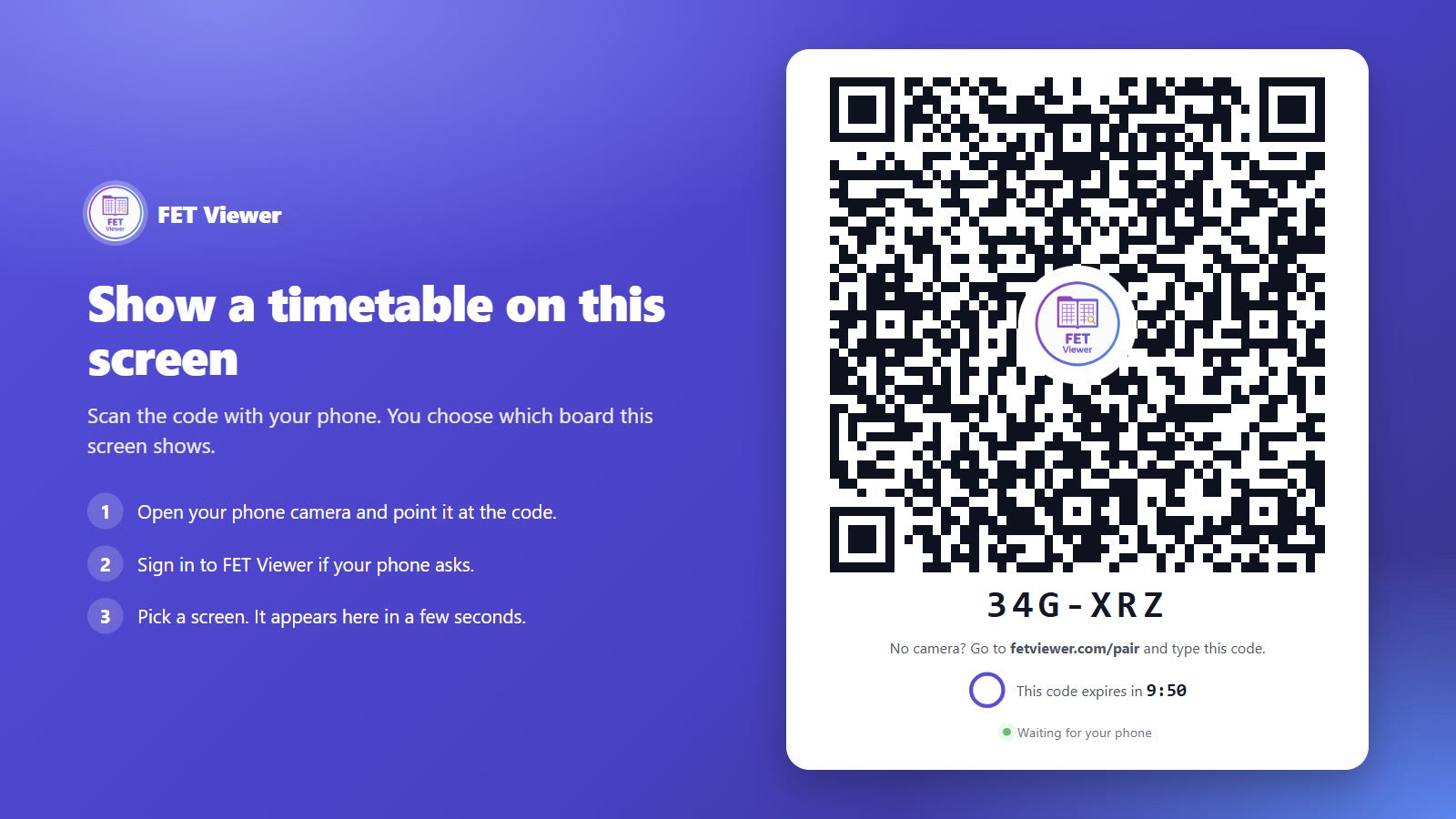
If the phone has no camera, the TV also shows a short code. On the phone, go to fetviewer.com/pair and type the code.
The same timetable on the school website
The wall is one place where people look. The school website is another one.
An embed puts the live timetable on a page you already have: the school website, an intranet, a page for parents. You paste a short snippet once. When you change the timetable, the page shows the change. You choose what it covers: the whole timetable, one class, one teacher, one room or one building.
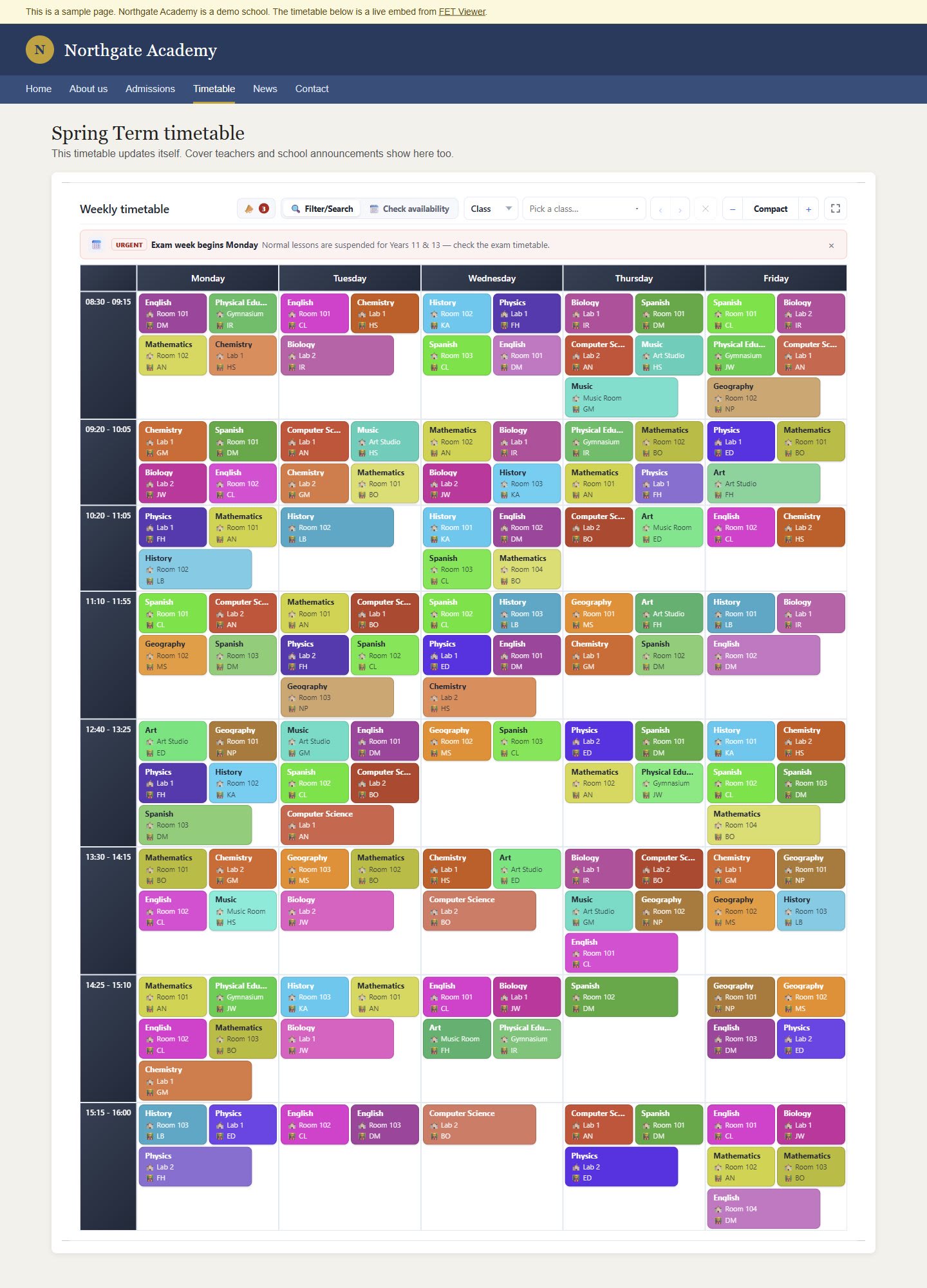
Every new embed starts switched off too, for the same reason as a new screen. See it working on a sample school page.
The point is that nobody maintains it
Everything above is secondary to one property: the board reads the same timetable everything else reads.
When you move a lesson on Thursday morning, you do not then update the screen. There is no screen version. The wall is showing the timetable, not a picture of it that was accurate on Monday.
Which means the date in the corner stops being a warning.